From the desk
Getting Your App Out: What These Platforms Let You Take
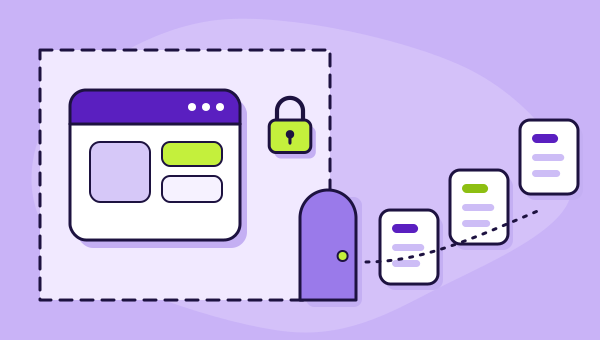
Every one of these vendors documents a way to export your data. Not one documents a way to export the application. That asymmetry is the most important thing to understand before you build.
On this page 6 sections
The question people ask about no-code platforms is "what can it build". The question that decides whether choosing one was wise is "what happens when I leave". Both matter, and the second one is discussed far less because it is uncomfortable for everyone involved.
Here is the position across the four platforms on our best no-code app builders list, based only on what each vendor actually documents.
Data comes out. Applications do not.
Every one of these four gives you a documented route to your records.
Bubble documents exporting the database to CSV, JSON or NDJSON. Adalo documents downloading a collection as a CSV file. Glide's data frequently lives in a source you already control. Softr never holds the data at all — it reads from Airtable, a SQL database, a warehouse or an API that remains yours throughout.
None of the four documents a way to export the application. Not the screens, not the workflows, not the permission rules, not the integrations, not the conditional logic that took three weeks to get right. There is no download that produces a working copy of your app runnable somewhere else.
That is the asymmetry, and it is worth stating plainly rather than burying in a caveat: the part you can retrieve is the part that was cheap to create, and the part you cannot retrieve is the part you paid for.
What leaves with you, and what stays
- BubbleYour dataDatabase to CSV, JSON or NDJSONThe applicationNo documented export
- GlideYour dataOften already in a source you controlThe applicationNo documented export
- SoftrYour dataNever held — it stays in your sourceThe applicationNo documented export
- AdaloYour dataA collection as a CSV fileThe applicationNo documented export
What that actually means for a business
It does not mean these platforms are traps, and it does not mean building on them is reckless. Thousands of profitable operations run on exactly this arrangement and will continue to.
What it means is that your application is a tenancy. You are renting the building your business operates from, the fittings are the landlord's, and if you move you take the stock and leave the shelving. That is an entirely normal commercial arrangement. It is just one you should enter knowingly, because the version people imagine — that they own an app which happens to be hosted somewhere — is not the arrangement on offer.
Concretely, three consequences follow.
Pricing changes are not negotiable in the usual way. Your leverage in any vendor relationship is the credibility of leaving. When leaving means rebuilding, that leverage is thin.
Platform direction is your direction. If the vendor restructures its products, changes a meter or sunsets a feature, you adapt. Over the period this desk has been watching, one vendor split into two products with different units and another removed usage charging entirely. Both were plausibly good changes. Neither was yours to decide.
Your rebuild cost grows with your success. The better the app gets, the more there is that cannot be exported. This is the opposite of how technical assets usually behave, and it is the single most counterintuitive thing about this category.
Softr is the structural exception
Softr deserves separate treatment because its architecture changes the answer rather than softening it.
Softr is a front end over an external data source. Your records sit in Airtable, Google Sheets, Notion, HubSpot, Salesforce, monday.com, SmartSuite, ClickUp, Xano, Supabase, BigQuery, a SQL database or behind a REST API — and they sit there whether or not you are still a Softr customer.
So leaving Softr costs you the interface layer: screens, user groups, permission rules, branding. That is real work and it is not nothing. But you are not reconstructing your data model from a CSV and a memory. You are putting a new front end on a database that never moved.
This is the strongest argument in Softr's favour and it is usually presented as an integration feature rather than as the portability property it actually is. Details are in the Softr review.
Reducing what you would lose
You cannot make a no-code app exportable. You can make the rebuild cheaper, and a few habits do most of it.
- Keep the data somewhere you own where the platform allows it. Where an external source is supported, the trade is worth understanding — on Glide it costs updates, so it is a genuine cost decision rather than a free win — but it puts your records outside the tenancy.
- Write the rules down in prose. The permission logic, the approval conditions, the edge cases. A one-page document describing what the app does, maintained as you build, converts a rebuild from archaeology into transcription. Almost nobody does this and everybody who has migrated wishes they had.
- Export your data on a schedule, not on an incident. A quarterly export sitting in your own storage costs you an hour a year and is the difference between an orderly exit and a frantic one.
- Keep integrations loosely coupled. Where a workflow talks to another system through a documented API rather than a platform-specific connector, that piece of the design survives the move.
- Know what the platform cannot do before you need it to. The forced migration nobody plans for is not a pricing dispute; it is a requirement the tool will not meet. Track those as they appear.
When leaving is worth it anyway
Sometimes the rebuild is the right call, and the calculation is less frightening than it looks.
You are not rebuilding what you have. You are rebuilding what you would build now, knowing everything the first version taught you. Most applications carry a great deal of dead weight — screens nobody opens, fields nobody fills, workflows that solved a problem that has since gone away. A rebuild is the only occasion on which that weight is ever actually removed.
The rule of thumb this desk uses: if the app is simple, a rebuild is cheaper than the arguing about it. If the app is complex, the rebuild is expensive and the decision should be driven by something structural — a requirement the platform will not meet, a cost curve going the wrong way — rather than by irritation.
The honest summary
Data: portable, in all four cases, by a documented route.
Application: not portable, in all four cases, with no documented route.
Softr: the data was never theirs to hold, which is a materially better position than the other three and should be weighted accordingly.
If that arrangement is acceptable to you — and for a great many businesses it genuinely is — then pick on meter and capability as described in the four meters, and get on with building. If it is not acceptable, this whole category is the wrong one for you, and that is a legitimate conclusion to reach on the strength of one paragraph rather than after three years.
Questions about leaving
Can I export my Bubble app and host it myself?
Is any no-code app builder genuinely portable?
How long does rebuilding on a new platform take?
Should this stop me using no-code at all?
Connects to
Everything on this desk feeds one comparison: the best no-code app builders, ranked by which meter suits which shape of application.