From the desk
What Glide Counts as an Update (And What It Doesn't)
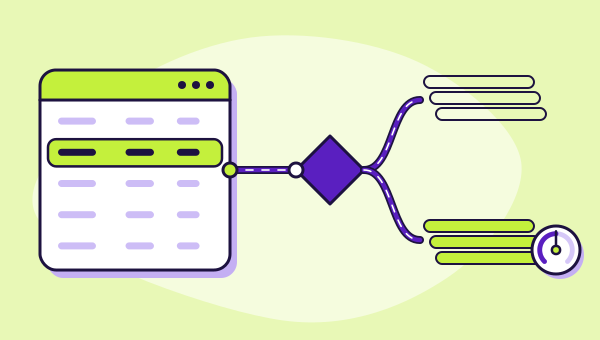
Glide's documentation is unusually specific about which actions cost you an update and which are free. That list contains the single biggest lever you have over a Glide bill.
On this page 7 sections
Glide's pricing is easier to reason about than Bubble's, for one reason: Glide tells you what it counts. The documentation lists the actions that consume an update and the actions that do not, and once you have read that list you can predict the shape of your own bill with a confidence that is unavailable anywhere else on our best no-code app builders shortlist.
The list also contains a decision most people make without realising it is a decision.
The rule: one update per changed row
Glide's documentation states the core principle directly — most features of Glide consume one update per changed row, with a number of exceptions.
That framing is worth pausing on, because it is not "per action" and not "per user". It is per row that changed. An action that modifies twelve rows is twelve updates. An action that touches one row twelve times, if it results in one changed row, is closer to one.
So the mental model is not "how busy is my app" but "how much of my data moves". Those are different questions and they produce different answers for the same application.
What does not consume an update
The free list is longer than most people expect, and it is where Glide's cheap tiers come from.
- Reading data. Displaying records costs nothing.
- Querying, filtering and visibility conditions. All the logic that decides what a given user sees is free.
- Non-data-modifying actions. Glide names examples such as showing a notification or navigating to a tab.
- Building. Working in the Layout or Workflow editors consumes nothing, so development time is not metered.
- Failed integrations and failed actions. You are not billed for something that did not happen.
- User-triggered actions on Glide Tables and Big Tables. This one is the important one, and it gets its own section below.
The practical result: an app whose job is to let people look things up can run on a very small allowance indefinitely. A directory, a status board, a procedure library, a read-only view over a database somebody else maintains — the meter barely registers these.
What does consume an update
Per Glide's documentation, updates are consumed by:
- Server-side workflow actions that change data — Add Row, Set Column Values, Delete Row and Increment Value are the named examples.
- User-triggered actions against an external data source.
- Syncs from an external data source.
- Successful integration runs.
- Glide API calls that perform data operations.
Read those five together and a pattern emerges: Glide charges when data changes and when that change has to cross a boundary — into an external system, out through the API, or through the server rather than the client.
Which way an action falls
Free — no update
- Reading data
- Querying, filtering, visibility
- Actions that change no data
- Building in the editors
- Failed runs
- User actions on Glide Tables
Counted — one update per changed row
- Server-side workflow writes
- User actions on an external source
- Syncs from an external source
- Successful integration runs
- API calls that change data
The lever: where your data lives
Here is the sentence that decides Glide bills. User-triggered actions on Glide's own tables do not consume updates. The same action against an external source does.
Two teams build the same request tracker. One keeps the records in Glide Tables. The other keeps them in an Airtable base because the finance team already lives there. The apps look identical, behave identically and are used identically. Their update consumption is not remotely the same.
Neither choice is wrong. Keeping data in Airtable may be worth every update it costs, because the rest of the business already works there and a single source of truth has real value. But it is a pricing decision, and it is one you make at the beginning when it is cheap to change and discover in month three when it is not.
If cost matters and the data does not need to live elsewhere, keep writes on Glide Tables. If the data genuinely belongs in an external system, budget for the meter and move on.
The plans and the overage rate
Glide documents the classic plans as: free with zero updates a month and up to ten personal users; Explorer at $19 a month billed annually — $25 monthly — with 250 updates, a hundred personal users and one published app; Maker at $49 annually or $60 monthly with 500 updates, unlimited personal users and up to three apps; Business at $199 annually or $249 monthly with 5,000 updates, thirty business email users and unlimited apps.
Over the quota, Glide documents an automatic charge of $0.02 per update where unlimited updates are enabled. That published figure is a genuine advantage over platforms that do not print an overage rate at all. It converts running out from an unknown into arithmetic: five hundred updates over quota is ten dollars, not a phone call.
There is also GlideOS, which is a separate product priced in credits rather than updates, and what one credit buys is not published. If somebody quotes you a Glide price, establish which product it belongs to before comparing it with anything.
Why the free plan includes zero
Glide's free classic tier includes zero updates a month, and people frequently assume this is a typo or a limitation on some advanced feature. It is neither. Zero updates means no data can be changed by anyone, including you, through the app.
You can still build, connect a source, lay out screens and show someone the result. What you cannot do is test the thing the app exists to do.
Judged as a demo of the interface, it works fine. Judged as a trial of the product, it answers the wrong question entirely, which is a point we make about every free tier in this category in what the free tiers actually ship.
Estimating your own consumption
You cannot calculate a Glide bill precisely in advance, but you can bracket it far better than you can bracket a Bubble one, because the unit is legible.
Count the rows your app changes in a typical day. Not the actions, not the users — the rows. A team of five logging four jobs each is twenty rows a day, and if those rows live in Glide Tables and the writes are user-triggered, many of them cost nothing at all. The same twenty rows against an external base is twenty updates a day, roughly six hundred a month, which lands you above Maker's allowance and into either an upgrade or the overage rate.
That calculation takes five minutes and it is the most valuable five minutes in a Glide evaluation. Do it before you pick a plan, and do it again after a month of real use, because the estimate you made from a whiteboard is always tidier than what people actually do.
The platform verdict is in the Glide review, and the comparison against the other three meters is in the four meters.
Twenty rows a day against the classic allowances
- Explorer
- Maker
- Business
20 rows a day ≈ 600 updates a month — over Maker’s 500
Update-metering questions
Does a user simply opening the app consume updates?
Do Glide Tables really cost nothing to write to?
What happens when I exceed my update allowance?
Is GlideOS priced the same way?
Connects to
Everything on this desk feeds one comparison: the best no-code app builders, ranked by which meter suits which shape of application.